
Business messaging, made simple.
Send and receive text messages from a dashboard or a REST API, and follow every message from the queue to its delivery report.
- One JSON endpoint to send, secured with Bearer API keys
- A status for every message, and the reason when one fails
- Replies kept on your account, in the dashboard and the API
Everything between your software and your customers.
Connecfy takes a message from your dashboard or your code, sends it, and keeps the record.
Send from the dashboard
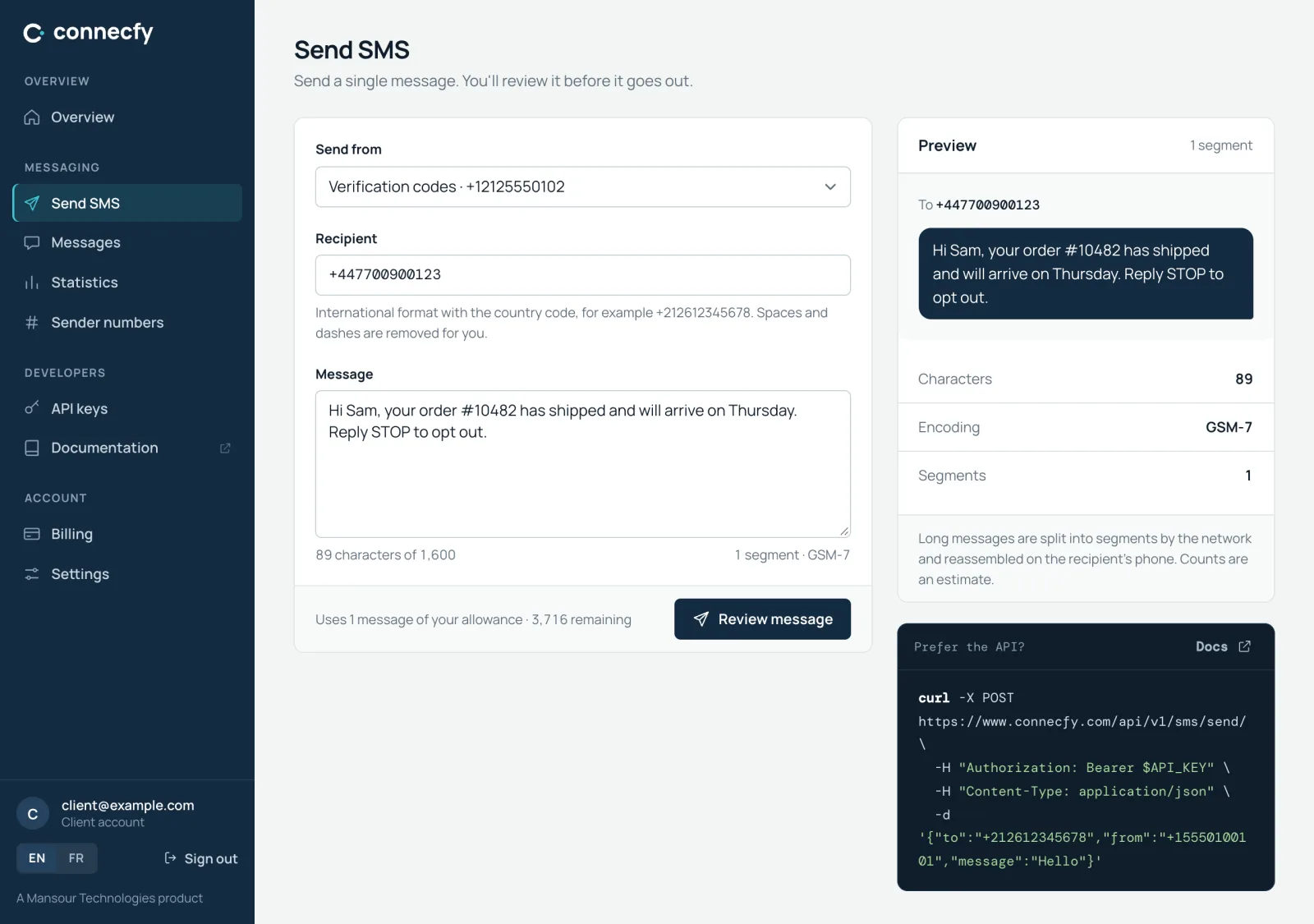
Write a message, check its length and encoding, review it, then send. Submitting the same form twice never sends the message twice.
Send from your code
One authenticated JSON request queues a message and returns its ID. Add your own request ID and retries become safe.
Follow every message
Queued, sending, sent, delivered or failed: each message shows where it is and, when it fails, why.
Receive replies
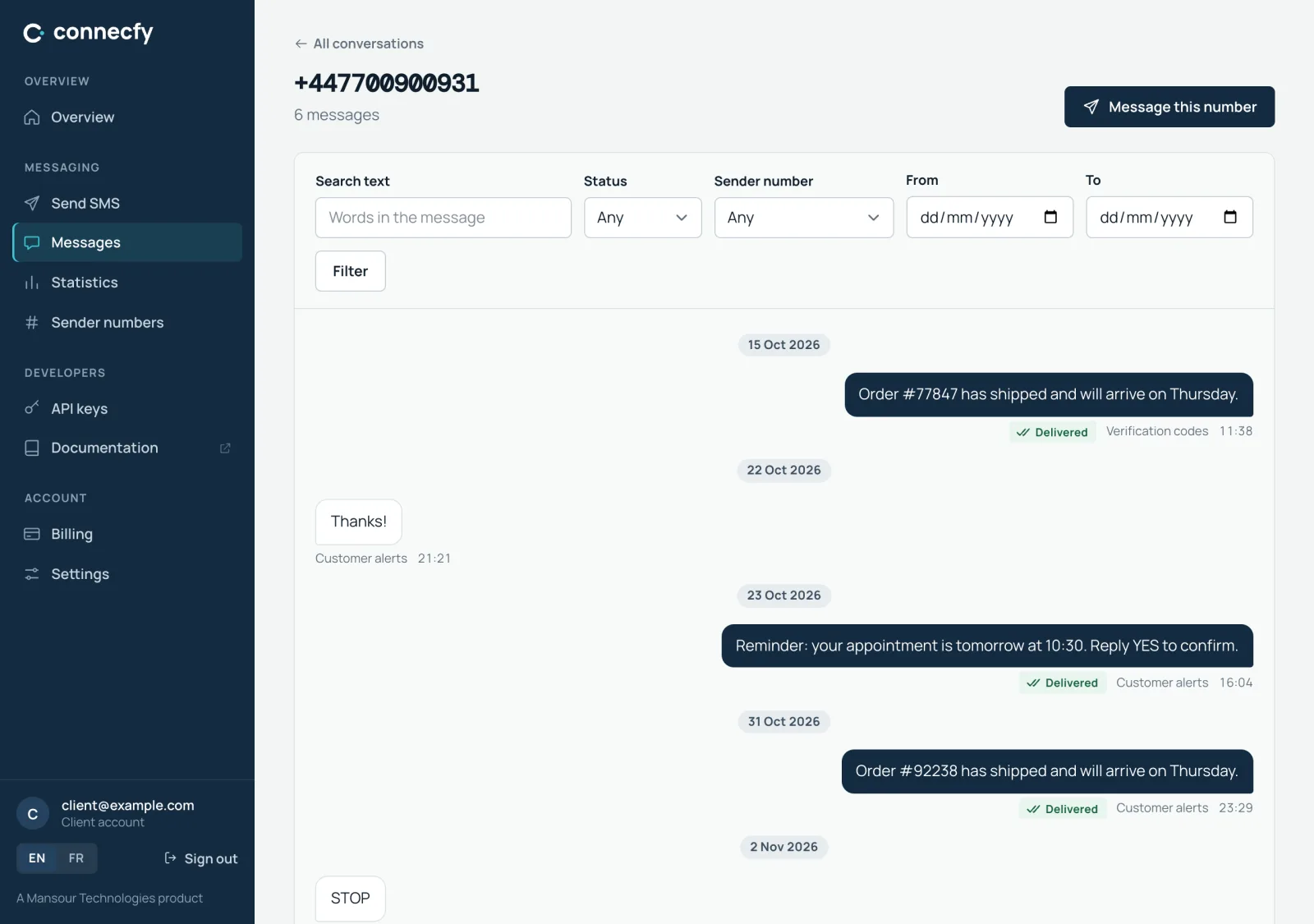
Where your account has a dedicated sender number, incoming messages are stored with your history and can be synced into your own system.
Know your usage
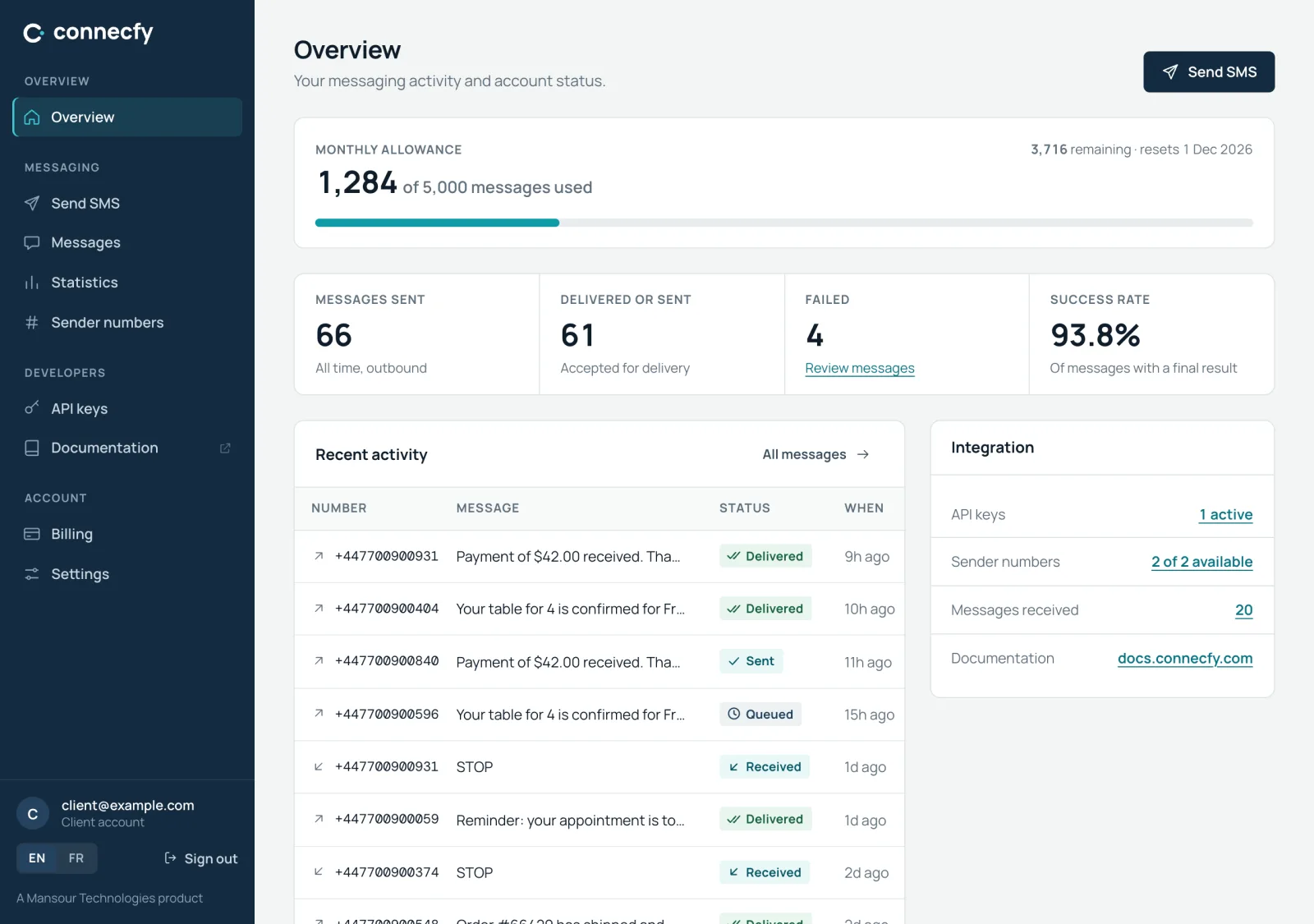
Daily volume, success rate, your monthly allowance and a breakdown by sender number, all on screen.
Keep control of your keys
Create, name and revoke API keys whenever you need to. A key is shown once and stored only as a one-way fingerprint.
A small API that does what it says.
Authenticate with a Bearer key, send JSON, read the status back. The reference documents every endpoint, error code and limit.
- Safe retries with your own
request_id - Hold a message for later with
send_at - Cursor-based retrieval of incoming messages
- Documented errors, limits and status lifecycle
curl -X POST https://www.connecfy.com/api/v1/sms/send/ \
  -H "Authorization: Bearer $CONNECFY_API_KEY" \
  -H "Content-Type: application/json" \
  -d '{
    "to": "+212612345678",
    "from": "+212600000000",
    "message": "Your verification code is 482910",
    "request_id": "order-12345"
}'{
"status": "queued",
"message_id": "f3a1b2c4-d5e6-7890-abcd-ef1234567890",
"request_id": "order-12345",
"to": "+212612345678",
"created_at": "2026-08-26T14:30:00.123Z"
}From first message to production in three steps.
Request access
Tell us what you want to build. Accounts are set up personally; there is no self-service sign-up.
Get your credentials
We create your account and your sender numbers. You create and revoke your own API keys in the dashboard.
Start sending
Send from the dashboard or call the API, then follow results under Messages and Statistics.
Your messaging, on one screen.
The same account you call from code: usage, conversations and delivery results.
Messages people are waiting for.
Codes and security alerts
One-time codes and sign-in notices, where you want to know whether each message was delivered.
Order and appointment updates
Shipping notices, reminders and confirmations, sent from your application as events happen.
Two-way conversations
Customers reply and you read the answers in the dashboard or pull them into your own system.
Tell us what you want to build.
There is no self-service sign-up. We set up every account personally, so describe the messages you want to send and roughly how many a month, and we will reply within a business day.
- contact@yassermansour.com
- +212 647 955 576